


You want crisp SVG icons in a C++ desktop app, but most GUI toolkits only accept raster bitmaps, so you need to rasterize the vector yourself at the right pixel size. This guide rasterizes IconVectors-exported SVGs with LunaSVG — a small, dependency-free C++17 renderer — and hands the pixels to three real targets: a Windows HBITMAP for GDI, a PNG file, and a wxBitmap for wxWidgets.
LunaSVG parses an SVG into a lunasvg::Document via Document::loadFromData() (or loadFromFile()), then Document::renderToBitmap() returns a lunasvg::Bitmap of premultiplied ARGB pixels. The one detail that trips people up is that pixel layout: every target below needs a different swizzle or un-premultiply step, and each section shows the exact loop.
Export a clean SVG from IconVectors
- Open or create your icon:
- File → Open… (Ctrl+O) or New Icon (Ctrl+N).
- Prefer a simple, single-color shape and a clean
viewBox(e.g.,0 0 24 24).
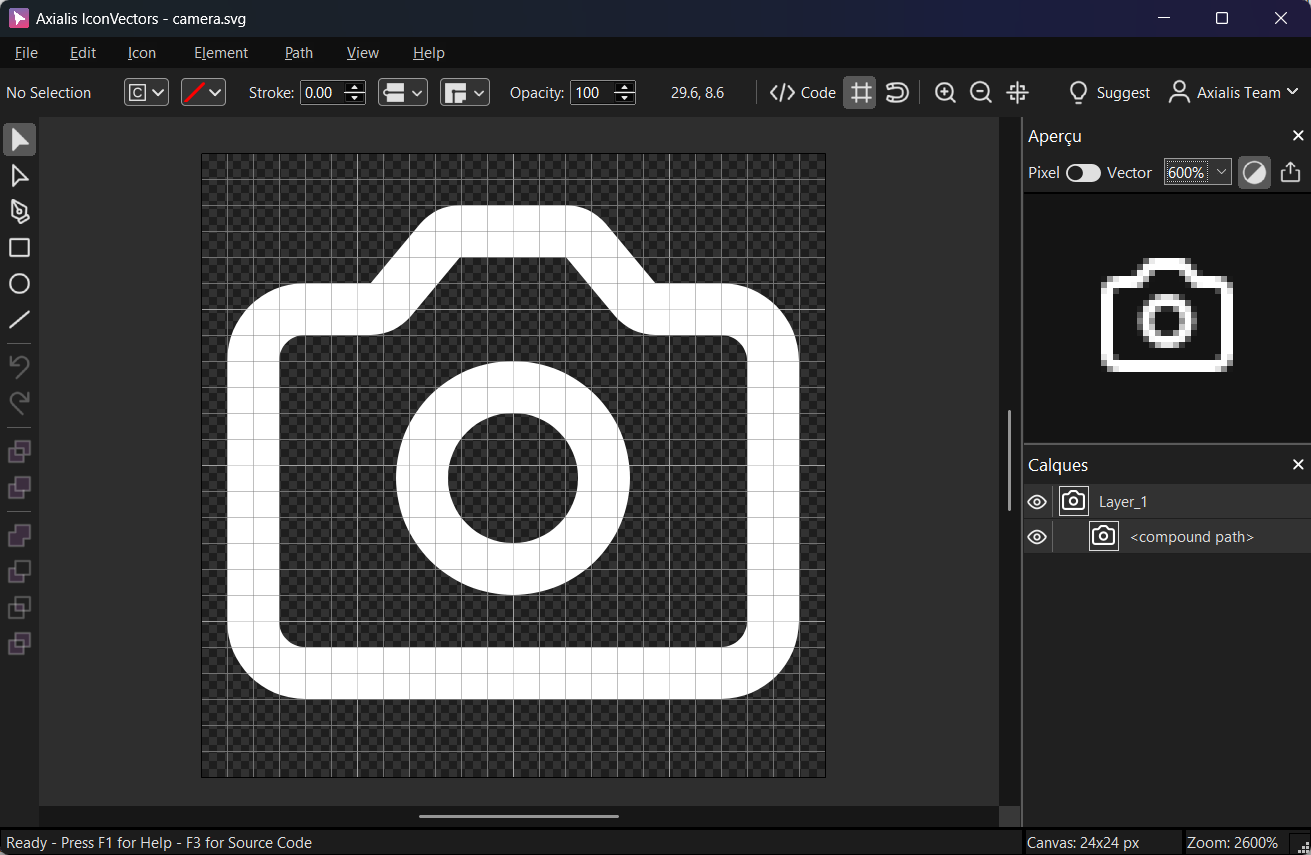
Use File → Export → Export Minified (Shift+Ctrl+M) to get a lean SVG.
Windows: render an SVG to HBITMAP using the Windows API
GDI's AlphaBlend expects a top-down 32-bpp DIB with BGRA premultiplied pixels, but LunaSVG hands you ARGB premultiplied. The snippet below renders the SVG, allocates a DIB section with a negative biHeight (top-down), then swizzles ARGB→BGRA per pixel so the result drops straight into AlphaBlend or BitBlt.
#include <lunasvg.h>
#include <windows.h>
#include <cstdint>
#include <cstring>
#include <iostream>

using namespace lunasvg;

static HBITMAP CreateHBITMAPFromLunaBitmap(const Bitmap& bmp)
{
    if (!bmp.valid()) return nullptr;

    const int w = bmp.width(), h = bmp.height();
    const int srcStride = bmp.stride();      // ARGB premultiplied (A,R,G,B)
    const int dstStride = w * 4;             // BGRA premultiplied for 32bpp DIB

    BITMAPINFO bi{};
    bi.bmiHeader.biSize        = sizeof(BITMAPINFOHEADER);
    bi.bmiHeader.biWidth       = w;
    bi.bmiHeader.biHeight      = -h;         // top-down
    bi.bmiHeader.biPlanes      = 1;
    bi.bmiHeader.biBitCount    = 32;
    bi.bmiHeader.biCompression = BI_RGB;

    void* dib = nullptr;
    HDC hdc = GetDC(nullptr);
    HBITMAP hbmp = CreateDIBSection(hdc, &bi, DIB_RGB_COLORS, &dib, nullptr, 0);
    ReleaseDC(nullptr, hdc);
    if (!hbmp || !dib) return nullptr;

    const uint8_t* src = bmp.data();
    uint8_t* dst = static_cast<uint8_t*>(dib);

    // Swizzle ARGB (A,R,G,B) → BGRA (B,G,R,A); premultiplication preserved
    for (int y = 0; y < h; ++y) {
        const uint8_t* srow = src + y * srcStride;
        uint8_t* drow = dst + y * dstStride;
        for (int x = 0; x < w; ++x) {
            const uint8_t A = srow[x*4 + 0];
            const uint8_t R = srow[x*4 + 1];
            const uint8_t G = srow[x*4 + 2];
            const uint8_t B = srow[x*4 + 3];
            drow[x*4 + 0] = B;
            drow[x*4 + 1] = G;
            drow[x*4 + 2] = R;
            drow[x*4 + 3] = A;
        }
    }
    return hbmp;
}

// Example SVG (export your own minified XML from IconVectors)
static const char kSVG[] = R"SVG(
<svg xmlns="http://www.w3.org/2000/svg" viewBox="0 0 24 24"><path fill="none"
stroke="currentColor" stroke-width="2" stroke-linecap="round" stroke-linejoin="round"
stroke-miterlimit="10" d="M14.8 3.4l1.9 2.3c.2 .2 .5 .4 .8 .4H20c1.1 0 2 .9 2
2v10c0 1.1-.9 2-2 2H4c-1.1 0-2-.9-2-2V8c0-1.1 .9-2 2-2h2.5c.3 0 .6-.1 .8-.4l1.9-2.3
c.2-.2 .5-.4 .8-.4h4.1C14.3 3 14.6 3.1 14.8 3.4zM8.5 12.5c0 1.9 1.6 3.5 3.5 3.5
s3.5-1.6 3.5-3.5s-1.6-3.5-3.5-3.5S8.5 10.6 8.5 12.5z"/></svg>
)SVG";

int main() {
  auto doc = Document::loadFromData(kSVG);
  if (!doc) { std::cerr << "Parse error\n"; return 1; }

  // Render at document size or pick explicit pixels: renderToBitmap(w, h)
  auto bmp = doc->renderToBitmap(24, 24);
  if (!bmp.valid()) { std::cerr << "Render error\n"; return 2; }

  HBITMAP hbmp = CreateHBITMAPFromLunaBitmap(bmp);
  if (!hbmp) { std::cerr << "HBITMAP error\n"; return 3; }

  // TODO: Select hbmp into a memory DC and AlphaBlend onto your window DC.

  DeleteObject(hbmp);
  return 0;
}
Optional: blit with alpha
// After you get HBITMAP hbmp:
HDC hdcScreen = GetDC(hwnd);
HDC hdcMem    = CreateCompatibleDC(hdcScreen);
HBITMAP old   = (HBITMAP)SelectObject(hdcMem, hbmp);

BLENDFUNCTION bf{};
bf.BlendOp             = AC_SRC_OVER;
bf.BlendFlags          = 0;
bf.SourceConstantAlpha = 255;       // use per-pixel alpha
bf.AlphaFormat         = AC_SRC_ALPHA;

AlphaBlend(hdcScreen, dstX, dstY, w, h, hdcMem, 0, 0, w, h, bf);

SelectObject(hdcMem, old);
DeleteDC(hdcMem);
ReleaseDC(hwnd, hdcScreen);
Cross-platform: import SVG and convert to PNG
If you only need a raster file — for a build step, an icon cache, or a platform that loads PNGs directly — LunaSVG writes one for you. Bitmap::writeToPng() serializes the rendered buffer to disk, so the whole pipeline is parse, render, write, with no GUI toolkit involved. The same three calls compile unchanged on Windows, macOS, and Linux.
#include <lunasvg.h>
using namespace lunasvg;

// Your SVG payload (exported & minified in IconVectors)
static const char kSvg[] = R"SVG(
<svg viewBox="0 0 24 24" xmlns="http://www.w3.org/2000/svg">
  <path d="M4 12 9 17 20 6" fill="none" stroke="black" stroke-width="2"/>
</svg>
)SVG";

int main()
{
    // 1. Parse the SVG straight from the std::string
    auto doc = Document::loadFromData(kSvg);              // in-memory API
    if (!doc)                                             // nullptr -> parse error
        return -1;

    // 2. Rasterize to an RGBA bitmap (defaults to the SVG’s own width/height)
    auto bmp = doc->renderToBitmap();
    if (!bmp.valid())                                     // empty -> render error
        return -2;

    // 3. Persist the bitmap as a PNG file
    // (writeToPng saves the current bitmap buffer to disk)
    bmp.writeToPng("output.png");

    return 0;
}
Cross-platform: LunaSVG + wxWidgets (draw a wxBitmap)
wxImage stores straight (non-premultiplied) RGB in one buffer and alpha in a separate buffer, so the conversion here un-premultiplies each channel (R = Rm * 255 / A, guarding against A == 0) before handing both buffers to wxImage. The resulting wxBitmap draws in any paint handler with DrawBitmap.
#include <lunasvg.h>
#include <wx/wx.h>

using namespace lunasvg;

static const char kSvg[] = R"SVG(
<svg viewBox="0 0 24 24" xmlns="http://www.w3.org/2000/svg">
  <circle cx="12" cy="12" r="8" fill="black"/>
</svg>
)SVG";

static wxBitmap MakeWxBitmapFromLuna(const Bitmap& bmp) {
  if (!bmp.valid()) return wxBitmap();

  const int w = bmp.width(), h = bmp.height();
  const int stride = bmp.stride();
  const unsigned char* src = bmp.data(); // ARGB premultiplied

  // Allocate RGB buffer (wxImage takes ownership) and separate alpha
  unsigned char* rgb = new unsigned char[w*h*3];
  unsigned char* alpha = new unsigned char[w*h];

  for (int y = 0; y < h; ++y) {
    const unsigned char* srow = src + y*stride;
    for (int x = 0; x < w; ++x) {
      const unsigned char A = srow[x*4 + 0];
      const unsigned char Rm = srow[x*4 + 1];
      const unsigned char Gm = srow[x*4 + 2];
      const unsigned char Bm = srow[x*4 + 3];

      // Un‑premultiply: R = Rm*255/A (guard A=0)
      unsigned char R = (A ? (unsigned)(Rm*255 + (A/2)) / A : 0);
      unsigned char G = (A ? (unsigned)(Gm*255 + (A/2)) / A : 0);
      unsigned char B = (A ? (unsigned)(Bm*255 + (A/2)) / A : 0);

      const int idx = (y*w + x);
      rgb[idx*3 + 0] = R;
      rgb[idx*3 + 1] = G;
      rgb[idx*3 + 2] = B;
      alpha[idx] = A;
    }
  }

  wxImage img(w, h, rgb, /*static_data=*/false);
  img.SetAlpha(alpha, /*static_data=*/false);

  return wxBitmap(img);
}

class MyApp : public wxApp {
public:
  bool OnInit() override {
    auto doc = Document::loadFromData(kSvg);
    if (!doc) return false;
    auto bmp = doc->renderToBitmap(64, 64);
    if (!bmp.valid()) return false;

    wxBitmap wxbmp = MakeWxBitmapFromLuna(bmp);

    auto* frame = new wxFrame(nullptr, wxID_ANY, "LunaSVG + wxWidgets", wxDefaultPosition, wxSize(240,160));
    frame->Bind(wxEVT_PAINT, [wxbmp](wxPaintEvent&){
      wxPaintDC dc(wxDynamicCast(wxTheApp->GetTopWindow(), wxFrame));
      dc.DrawBitmap(wxbmp, 40, 40, /*useMask=*/true);
    });
    frame->Show();
    return true;
  }
};
wxIMPLEMENT_APP(MyApp);
Notes & troubleshooting
- Premultiplied alpha — LunaSVG returns ARGB premultiplied pixels. For Windows DIBs, swizzle to BGRA and keep the values premultiplied; for wxWidgets, un-premultiply before setting RGB and alpha.
- Explicit size — pass
renderToBitmap(width, height)to rasterize at the exact pixel size your UI needs (for example, multiply by the DPI scale for HiDPI), rather than relying on the SVG's intrinsic dimensions. - IconVectors tip — export a minified SVG with a clean
viewBoxsuch as0 0 24 24, and avoid CSS filters or unsupported features, since LunaSVG covers the SVG static feature set but not full SVG 1.1.
Related guides
- SVG Icons in C++ with NanoSVG
- SVG Icons in C++ with WinUI & Qt
- SVG Icons in wxWidgets C++
- C++ SVG Icons (use case)
Start Making SVG Icons Today with IconVectors
Download the fully-functional 30‑Day Free Trial and unlock your icon design workflow.
Version 2.10 for Windows - October 6, 2026. macOS and Linux: version 2.00 available now, 2.10 coming soon.